

We have the newest Jonathan Van Ness: Hot & Healed! presale code🤩
Anyone holding this presale access will have an opportunity to snag sweet seats before it's available to everyone.
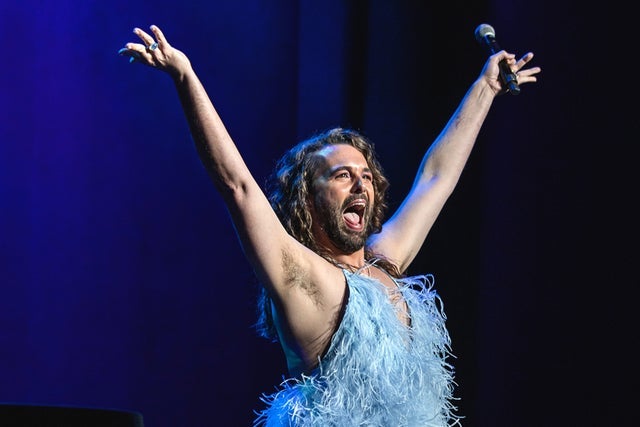 You won't want to miss experiencing Jonathan Van Ness: Hot & Healed!'s amazing show at The Castro Theatre in San Francisco, do you? Tickets are disappearing quickly, so act now! This is your chance to grab your spot at one of the most epic events of April 2026!
San Francisco, CA
Thu, Apr 30, 2026 8:00PM
Ends: Thu, Apr 30, 2026 9:00PM PDT
Ends: Thu, Nov 6, 2025 10:00PM PST
Ends: Thu, Nov 6, 2025 10:00PM PST
Find your Jonathan Van Ness: Hot & Healed! tickets here Search for more Jonathan Van Ness: Hot & Healed! presale codes
You won't want to miss experiencing Jonathan Van Ness: Hot & Healed!'s amazing show at The Castro Theatre in San Francisco, do you? Tickets are disappearing quickly, so act now! This is your chance to grab your spot at one of the most epic events of April 2026!
Here are the specifics of the Jonathan Van Ness: Hot & Healed! ticket presales:
Jonathan Van Ness: Hot & Healed!
The Castro TheatreSan Francisco, CA
Thu, Apr 30, 2026 8:00PM
Onsale to Regular Public
Starts: Fri, Nov 7, 2025 10:00AM PSTEnds: Thu, Apr 30, 2026 9:00PM PDT
Artist Presale password
Starts: Wed, Nov 5, 2025 10:00AM PSTEnds: Thu, Nov 6, 2025 10:00PM PST
APE Presale code
Starts: Thu, Nov 6, 2025 10:00AM PSTEnds: Thu, Nov 6, 2025 10:00PM PST
You could use this Jonathan Van Ness: Hot & Healed! presale password and information to order tickets
Our Passwords are for WiseGuys Members
Join right now and you'll instantly unlock the presale codes you need to buy your tickets early to this event and thousands of other shows too!



