

The I Said What I Said: Live In Los Angeles pre-sale password for Los Angeles everyone has been looking for is finally here!
With this I Said What I Said: Live In Los Angeles pre-sale password anyone with the password will have a fantastic opportunity to purchase great tickets before the general public.
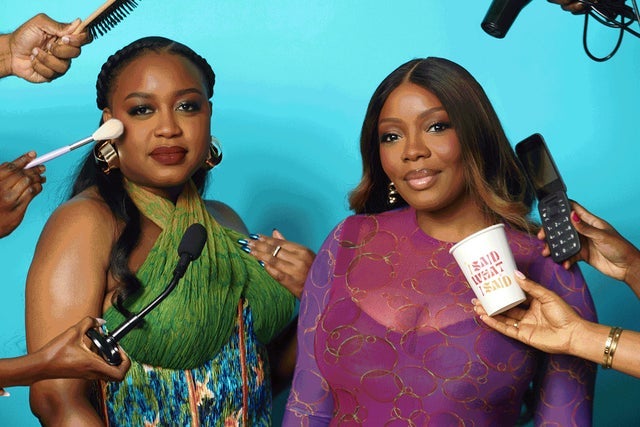 You definitely don't want to miss seeing I Said What I Said: Live In Los Angeles's incredible show in Los Angeles do you?
Los Angeles, CA
Sat, Aug 22, 2026 5:00PM
Ends: Sat, Aug 22, 2026 7:00PM PDT
Ends: Tue, Jun 30, 2026 10:00PM PDT
Ends: Tue, Jun 30, 2026 10:00PM PDT
Ends: Tue, Jun 30, 2026 10:00PM PDT
Buy your tickets Find another I Said What I Said: Live In Los Angeles pre-sale password
You definitely don't want to miss seeing I Said What I Said: Live In Los Angeles's incredible show in Los Angeles do you?
Here are all the I Said What I Said: Live In Los Angeles presale details:
I Said What I Said: Live In Los Angeles
The Regent TheaterLos Angeles, CA
Sat, Aug 22, 2026 5:00PM
Onsale to General Public
Starts: Wed, Jul 1, 2026 10:00AM PDTEnds: Sat, Aug 22, 2026 7:00PM PDT
Artist Presale code
Starts: Tue, Jun 30, 2026 10:00AM PDTEnds: Tue, Jun 30, 2026 10:00PM PDT
Live Nation Presale password
Starts: Tue, Jun 30, 2026 10:00AM PDTEnds: Tue, Jun 30, 2026 10:00PM PDT
Ticketmaster Presale code
Starts: Tue, Jun 30, 2026 10:00AM PDTEnds: Tue, Jun 30, 2026 10:00PM PDT
You should use this I Said What I Said: Live In Los Angeles presale code and information to order tickets
Our Passwords are for WiseGuys Members
Join right now and you'll instantly unlock the presale codes you need to buy your tickets early to this event and thousands of other shows too!



