

The Cheekface w/ special guest Catbite presale password has been added!
During this limited time presale event you have got a amazing opportunity to buy sweet tickets before everyone else.
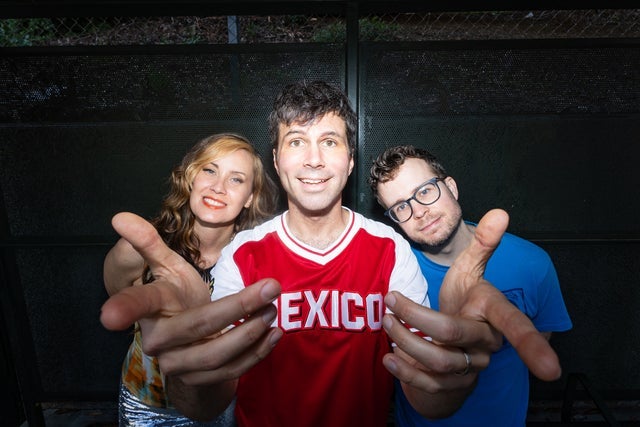 You certainly won't want to miss catching Cheekface w/ special guest Catbite's incredible show in Atlanta do you?
Atlanta, GA
Sun, Sep 6, 2026 7:00PM
Ends: Sun, Sep 6, 2026 7:00PM EDT
Ends: Fri, Mar 27, 2026 10:00AM EDT
Ends: Fri, Mar 27, 2026 10:00AM EDT
Ends: Fri, Mar 27, 2026 10:00AM EDT
Find your Cheekface w/ special guest Catbite tickets here Search for other Cheekface w/ special guest Catbite presale passwords
You certainly won't want to miss catching Cheekface w/ special guest Catbite's incredible show in Atlanta do you?
Here are the specifics for the Cheekface w/ special guest Catbite ticket presales:
Cheekface w/ special guest Catbite
The Masquerade - PurgatoryAtlanta, GA
Sun, Sep 6, 2026 7:00PM
Onsale to General Public
Starts: Fri, Mar 27, 2026 10:00AM EDTEnds: Sun, Sep 6, 2026 7:00PM EDT
Artist Presale password
Starts: Wed, Mar 25, 2026 12:00PM EDTEnds: Fri, Mar 27, 2026 10:00AM EDT
Discord Presale code
Starts: Thu, Mar 26, 2026 10:00AM EDTEnds: Fri, Mar 27, 2026 10:00AM EDT
Local Presale code
Starts: Thu, Mar 26, 2026 10:00AM EDTEnds: Fri, Mar 27, 2026 10:00AM EDT
You may use this Cheekface w/ special guest Catbite presale password and ticket info to buy your tickets
Our Passwords are for WiseGuys Members
Join right now and you'll instantly unlock the presale codes you need to buy your tickets early to this event and thousands of other shows too!



